

Description
Web-Based WeChat Reader with Auto-Resume
Overview
The web-based WeChat reader is designed to streamline the process of reading articles from WeChat, a widely used platform in China for content sharing and communication. This tool allows users to access and read articles without relying on the native WeChat app, offering a focused, distraction-free environment. Its core functionality centers on remembering the last reading position, enabling users to resume reading from where they left off—ideal for long-form content or research-heavy workflows.
Target users include professionals, students, and content consumers who frequently engage with WeChat articles. The application supports cross-device access, making it suitable for individuals who switch between Windows and Mac systems. While the developer did not provide additional background, the tool’s focus on usability and continuity suggests a user-centric design philosophy. Real-world scenarios include reading technical guides, academic papers, or industry reports during commutes or study sessions.
By eliminating the need to manually navigate back to previous sections, the tool enhances productivity and reduces cognitive load. The inclusion of theme and background customization further supports user comfort during extended reading sessions. No external dependencies or downloads are required, as it operates entirely within a browser environment.
Key Features & Capabilities
- Auto-Resume Reading – Automatically saves the last viewed position in any WeChat article, allowing users to pick up exactly where they left off upon reopening the page.
- Customizable Themes and Backgrounds – Users can adjust visual settings to reduce eye strain, improve readability, and personalize the reading interface based on ambient lighting or personal preference.
- Browser-Based Access – Runs directly in modern web browsers on both Windows and Mac, requiring no installation or system-specific configuration.
- Seamless Integration with WeChat Content – Designed to work with standard WeChat article links, ensuring compatibility with the full range of published content.
- Lightweight and Fast Loading – Built with efficiency in mind, the tool loads quickly and operates smoothly, minimizing delays during navigation.
These features are particularly beneficial for users who consume long-form content across multiple sessions. For example, a student reading a detailed research summary can return to the same paragraph without scrolling through the entire article. Similarly, a professional reviewing a weekly industry report can maintain continuity without losing context. The theme customization helps reduce visual fatigue during late-night reading or in low-light environments.
User Interface, Workflow & Performance
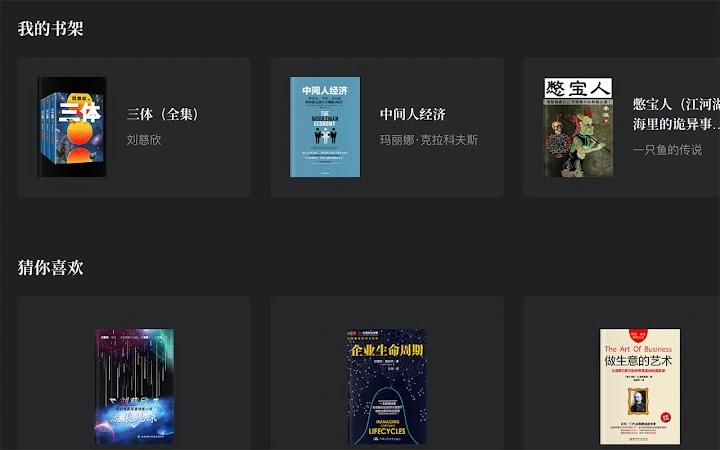
The user interface is clean and minimal, prioritizing readability and ease of navigation. The layout focuses on the article content, with subtle controls for theme adjustment and navigation. Users can switch between light and dark modes or apply custom backgrounds with a few clicks, enhancing visual comfort.
Workflow efficiency is high, as the tool eliminates repetitive actions like manual scrolling or bookmarking. The auto-resume function operates in the background, requiring no user input to save progress. This contributes to a seamless reading experience, especially for those managing multiple articles simultaneously.
Performance details were not specified by the developer. However, as a browser-based application, it relies on the host system’s web rendering capabilities. General behavior suggests stable operation under normal usage conditions. The developer did not provide information on CPU or RAM usage, nor on long-term stability across extended sessions.
Compatibility & System Requirements
The software is compatible with both Windows and Mac operating systems, ensuring broad accessibility for users across different platforms. It functions entirely within modern web browsers, meaning no specific hardware requirements are needed beyond standard system capabilities for web browsing.
Exact system requirements were not listed. Installation size is not applicable, as the tool is web-based and does not require installation. The developer did not specify minimum processor speed, memory, or graphics requirements. Compatibility information is limited to the supported operating systems.
Pros and Cons
Pros
- Automatically resumes reading from the last position
- Supports customizable themes and backgrounds for improved comfort
- Runs in any modern browser on Windows and Mac
- Zero installation required – accessible immediately
- Free to use with no hidden costs
Cons
- No offline reading capability mentioned
- Dependent on stable internet connection and browser performance
- Developer background and support details not available
- Exact performance metrics and resource usage not disclosed
- Limited to WeChat article content, not applicable to other platforms
FAQ Section
Is the web-based WeChat reader available for all browsers?
The tool is designed to work with modern web browsers on both Windows and Mac. Compatibility may vary slightly depending on browser version and settings.
Can I use this tool offline?
Currently, the application requires an active internet connection to access and save reading progress. Offline functionality has not been confirmed.
Is the software secure?
As a browser-based tool, it operates within the security model of the user’s web browser. No personal data is stored on external servers unless explicitly permitted by the user.
How often are updates released?
Update frequency is not publicly disclosed. Users are advised to check the official page regularly for the latest version.
What type of license does this software have?
The software is offered free of charge. No licensing details were provided, but it is intended for personal and professional use without restrictions.
Final Thoughts
The web-based WeChat reader presents a practical solution for users who frequently read long-form content on WeChat. Its ability to remember the last reading position significantly reduces friction in content consumption, especially for those managing multiple articles across sessions. The addition of theme and background customization enhances user comfort and accessibility.
While it lacks advanced features like offline access or detailed performance metrics, its simplicity and immediate availability make it a compelling choice for students, researchers, and professionals. The absence of installation and the free pricing model further improve its appeal.
For anyone seeking a reliable, no-frills way to read WeChat articles with continuity and comfort, this tool delivers on its core promise. Download Web-Based WeChat Reader now.
Guides & Tutorials for 微信读书小助手 Extension for Chrome
How to install 微信读书小助手 Extension for Chrome
- Click the Preview / Download button above.
- Once redirected, accept the terms and click Install.
- Wait for the 微信读书小助手 Extension for Chrome download to finish on your device.
How to use 微信读书小助手 Extension for Chrome
This software is primarily used for its core features described above. Open the app after installation to explore its capabilities.
User Reviews for 微信读书小助手 Extension for Chrome 0
No reviews found





